Mix and shape your sound
Control channel levels, mute, pan, gain, trim, polarity, phantom power, and high-pass filtering. Shape channels with EQ, gate, and dynamics, and work with buses, matrices, main outputs, and DCAs.
WingVOControl · macOS
Accessible remote control for Behringer WING digital mixers. Designed with blind and low-vision audio engineers, musicians, and sound technicians in mind.
Preparing for release on the Mac App Store. Not yet available to purchase.
VoiceOver + keyboard
Use labeled controls, readable parameter values, and keyboard shortcuts for common tasks. Search for channels, buses, matrices, and DCAs by name.
Read selected channel, bus, and main output levels and peak values with VoiceOver. Check mute states without relying on color or visual meters.
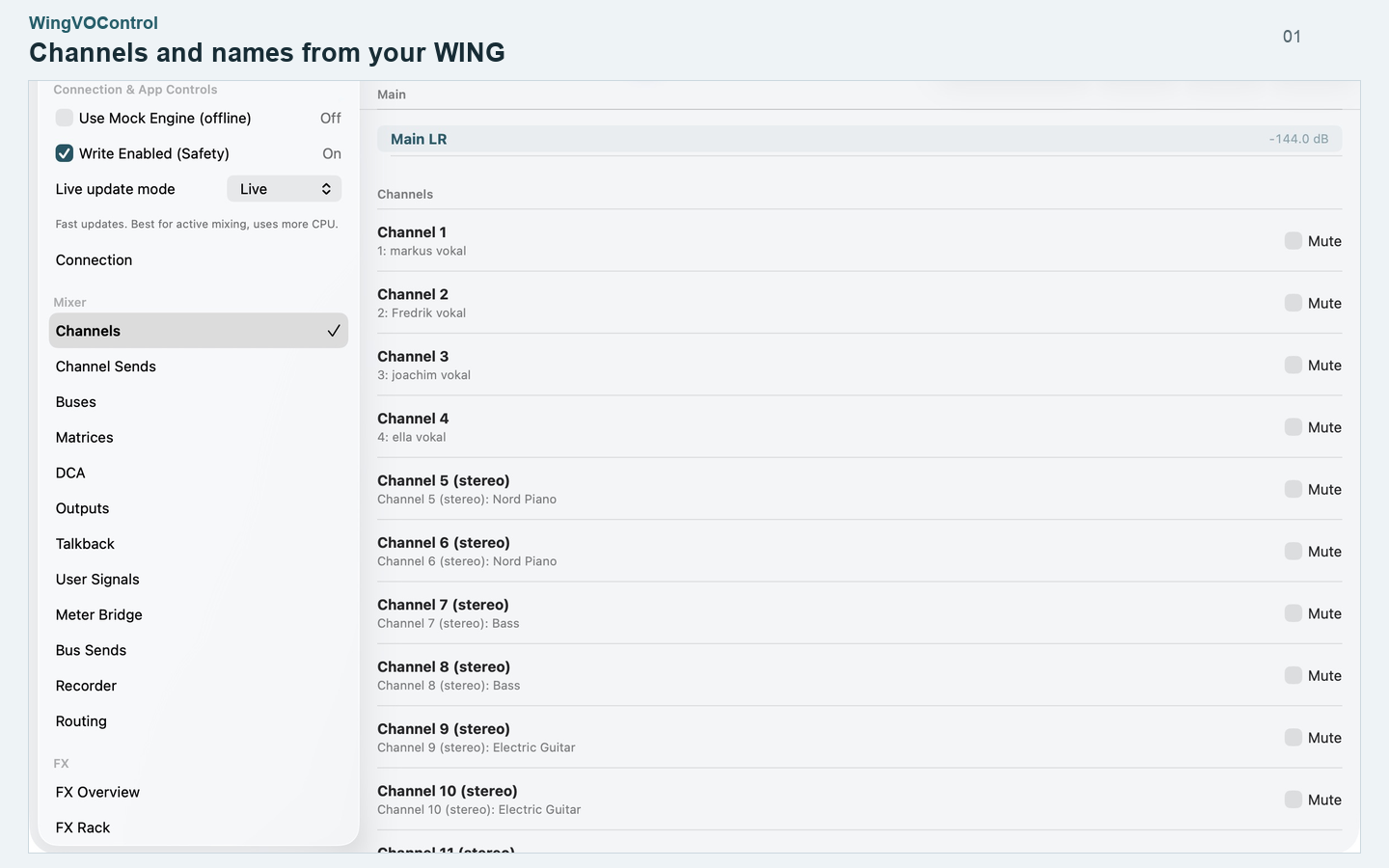
The feature descriptions below cover what the screenshots show, so you can explore the app without needing to see the images.
Inside the app
Control channel levels, mute, pan, gain, trim, polarity, phantom power, and high-pass filtering. Shape channels with EQ, gate, and dynamics, and work with buses, matrices, main outputs, and DCAs.
Choose input sources, configure input and output routing, build monitor mixes, and work with user signals and USER layers. Read channel names from WING and send name changes back to the console.
Configure Talkback A and B, microphone source, destinations, activation, and send levels. Browse the effects rack, choose supported models, adjust parameters, and manage sends and returns.
Control both W-LIVE SD card slots, session names, track counts, and markers. Read recording status and remaining time. Select and play files on a USB flash drive connected to the mixer.
Save channel and matrix presets, organize shows and scenes, choose recall scope, and use GO in the Performance view. Import and export packages, and use MIDI Program Change or learned MIDI controls.
Find WING on the local network, inspect settings in read-only Safe Mode, and enable writing when ready. Choose Live, Balanced, or Low CPU updates, explore the offline mock mixer, and use connection diagnostics.
Before you begin
You can explore the interface without hardware using the offline mock engine. The app interface is in English.
Tell us about a bug, accessibility issue, or feature you would like to see. Screenshots are optional: a written description is enough to start.